A useful neurology app should fit the moment: a reference between tasks, a clearer view of anatomy, or a short case when you have time to learn.
01
START WITH THE TASK
What do you need your app to do?
Find a reference
Look for clear tool names, direct navigation and explanations beside the result. Try finding a familiar score or pathway. Count the steps, notice whether your place is preserved, and check how easily you can return to frequently used tools.
Understand a finding
For examination and anatomy, look for readable diagrams and labels that connect structure with function. A useful image should explain something the text alone leaves unclear. Check that you can enlarge it and still understand the labels.
Practice reasoning
Look beyond whether an answer is marked correct. Useful cases explain why, clarify important terms and point to supporting references. Check whether you can revisit earlier concepts and choose practice that fits your available time.
02
LOOK A LITTLE CLOSER
Six checks before you rely on a tool.
Audience and scope
Is it written for healthcare trainees, clinicians or patients? Can you tell which content is educational, what the tool covers and where its limits are?
Sources and corrections
Can you open the supporting references? Look for meaningful content updates and a way to report errors. A recent app update alone does not establish that every reference was reviewed.
Device and access
Confirm device requirements, pricing and account requirements in the current listing. If connectivity matters, test the specific features you need offline before your rotation.
Readability and accessibility
Try larger text, contrast and screen-reader navigation on your device. If audio helps you learn, check what can be read aloud and whether playback is easy to control.
Privacy in practice
Read the developer’s privacy policy and App Store privacy information. Check what is collected or shared and avoid entering patient identifiers into an app that is not approved for that use.
A realistic trial
Use a fictional example for one familiar task. If the result, explanation or navigation is confusing, identify why before making the app part of your routine.
03
WHERE NEUROLOGICMD FITS
Clinical tools today. A new way to learn, soon.
NeuroLogicMD brings neurology references together for iPhone and iPad. The current App Store release and the 2.0 previews on this website are different versions.
Current tools and upcoming 2.0 features
Available now
2.0 · Coming soon
Clinical pathways, scores and examination references.
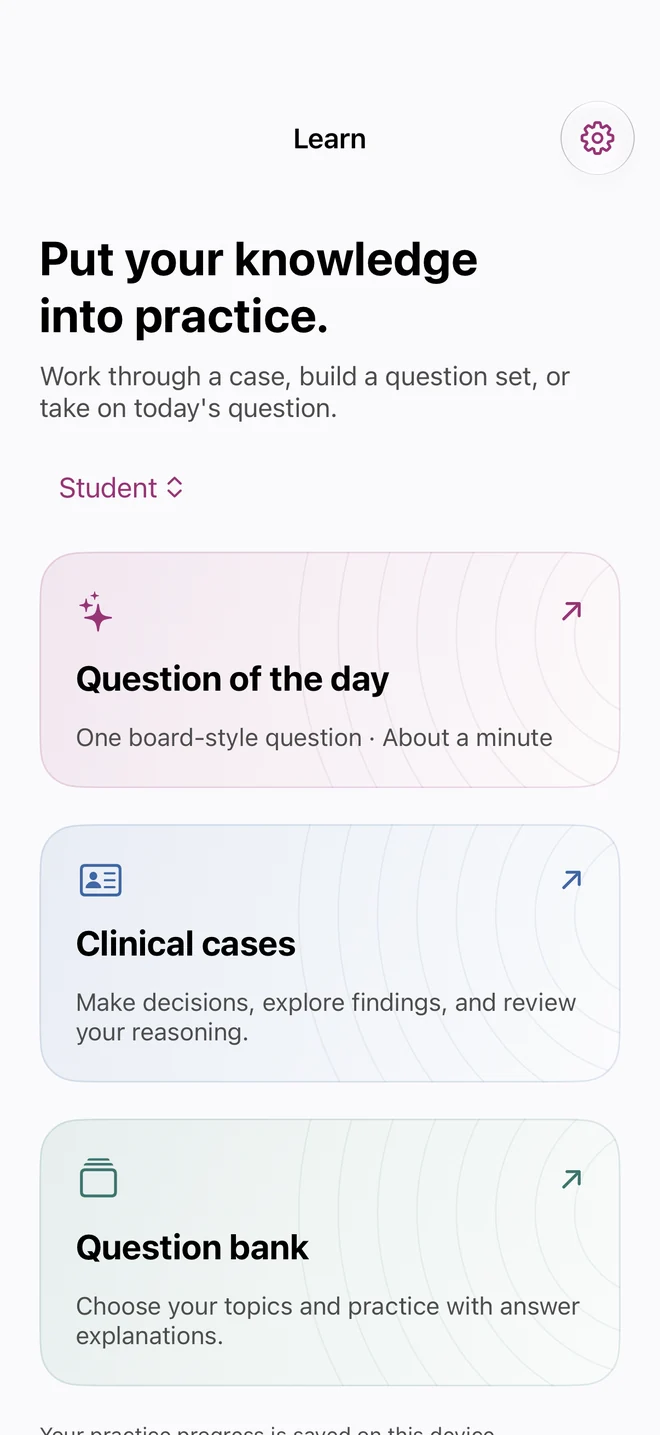
A redesigned Home and Learn hub for clinical cases and questions.
Tools including NIHSS, Glasgow Coma Scale and muscle-strength references.
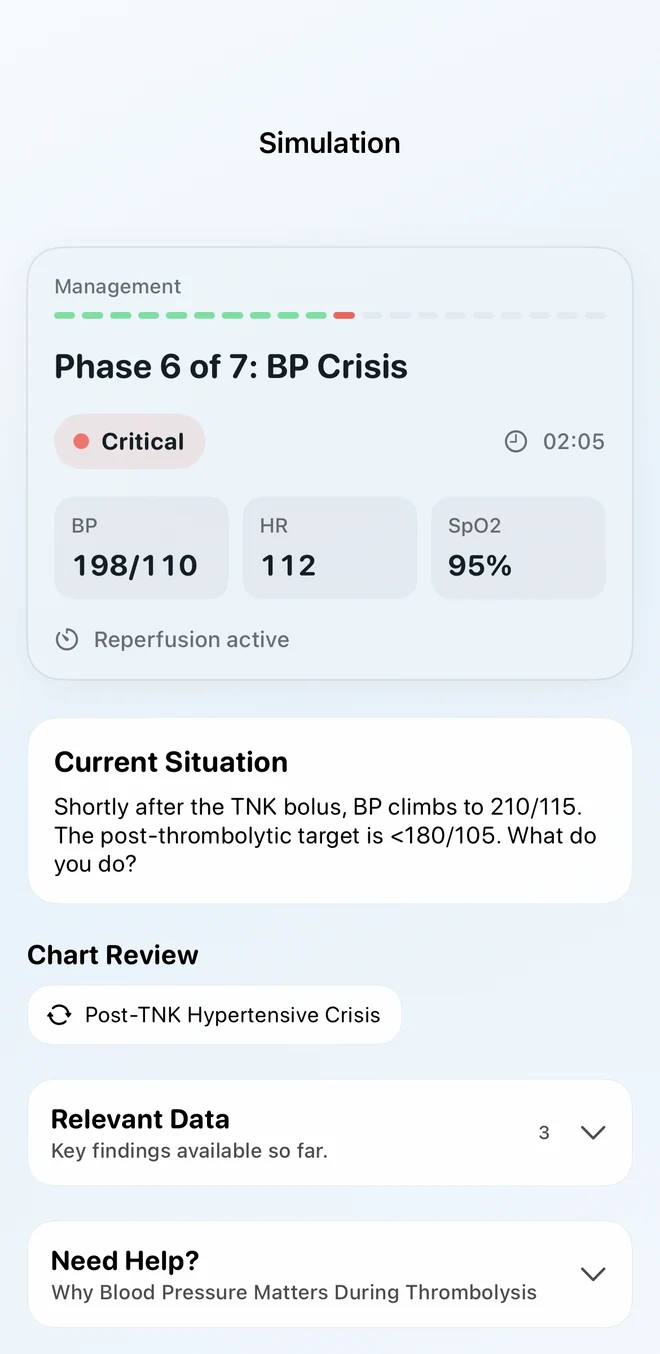
Fictional clinical cases with findings, decisions and feedback on your reasoning.
Favorites for the tools you return to most.
A topic-based question bank and Question of the Day.
Quick tools, including a vibration tool and a pupil flashlight.
Visual aura simulation with a camera overlay, plus refreshed examination tools.
2.0 PREVIEW · COMING SOON
A look at the next chapter.
Actual 2.0 captures: cases, questions and daily practice. These screens aren’t in the current release.
Cases & questions · 2.0 previewClinical case · 2.0 preview
Start with one useful task.
Choose a familiar reference or a concept you want to understand better. See whether the app makes that task easier to navigate and explain. Keep the tools that fit your training and your team’s workflow.
An educational app supports study and reference. It does not replace supervision, clinical judgment or your institution’s protocols.